

Last updated: October 13, 2026
Quick Answer: For most blogs, AI blogging workflow design works best as a 5-step hybrid system — brief, outline, draft, edit, publish — and it usually supports a usable first draft in under 2 hours for a standard 1,500–2,000 word post.
If AI blogging workflow design feels messy, the fix is not “better prompts.” It is a workflow that decides when AI writes, when a human decides, and what gets checked before anything goes live. In short: design the pipeline first, then use AI to speed up the parts that are repeatable. This guide on AI blogging workflow design, The Complete Guide, keeps that question practical from the start: who does what, in what order, and with what checks.
What AI Blogging Workflow Design Actually Has to Solve
AI blogging workflow design has to turn a blank topic into a publishable post without creating generic sludge, factual mistakes, or a pile of rewrites. If you are publishing one post a month, a light workflow may be enough; if you are shipping 10, 20, or 50 posts, the process has to protect quality before scale breaks it. According to Nielsen Norman Group, readers scan quickly and need clear structure, so the workflow has to support readability as well as speed. (Source: Nielsen Norman Group)
The big mistake is treating AI like a writer instead of a stage in the production line. That usually produces three failures: topics that are too broad, drafts that sound the same, and edits that take longer than writing from scratch. If your bottleneck is ideation, AI should help with clustering and angle selection. If your bottleneck is drafting, AI should handle the first pass from a strict outline. If your bottleneck is quality control, AI should support checklists, not replace human review. For YMYL topics or regulated niches, consult a qualified professional before publishing.
I would separate the workflow into six jobs: topic selection, outline design, draft generation, fact-checking, editorial shaping, and publishing QA. That structure matters because different tools fit different jobs. ChatGPT, Claude, and Gemini can all draft; none of them can tell you which post deserves the top slot in your editorial calendar unless you give them a clear scoring system. A workflow without decision rules just moves the confusion from the blank page to the edit queue.
Here is the right way to think about it: if the output must rank, convert, or build trust, the workflow needs more human control near the end. If the output is a supporting explainer with low risk, more automation is acceptable. That is the real design question.
| Situation | Best Path | Why Other Options Fail |
|---|---|---|
| Solo blogger publishing 2–4 posts a month | AI for outline and first draft, human for final voice and fact check | Full automation usually creates bland posts and weak differentiation |
| Content team shipping 10+ posts a month | Standardized brief, AI-assisted drafting, editor QA checklist | Ad hoc prompting wastes time and makes quality inconsistent |
| YMYL topic, regulated niche, or technical post | Human-led outline, AI only for support tasks | AI-only drafting risks factual drift and trust damage |
| Existing blog with old posts to refresh | AI for content audit and update suggestions, human for judgment | Blind rewrites can remove context that still matters |
Quick check: if you cannot describe who approves the outline, who verifies claims, and who owns the final voice, your workflow is not designed yet.
If You’re Starting From Zero, What Workflow Should You Build First?

If you are starting from zero, build a 5-step workflow: brief, outline, draft, edit, publish. That is the smallest structure that still prevents chaos, at least for a simple blog process. A lot of people jump straight to “write the post with AI,” then wonder why every post needs a rescue mission.
Start with a brief that includes the reader’s problem, the search intent, the target outcome, the offer or next step, and the sources you trust. If the brief does not name the specific reader, AI will default to a broad audience and generic advice. For example, “AI blogging workflow design for solo B2B marketers using WordPress and ChatGPT” will produce better material than “write about AI blogging.” The first version gives the model a job; the second gives it a theme. A process like this also aligns with Google’s advice to create helpful, people-first content. (Source: Google Search Central)
Then write an outline that forces decisions. I would keep it to 5–7 H2 sections, each answering one distinct question. If two sections can be merged without losing meaning, one of them is fluff. If the outline cannot survive being read aloud, it is not specific enough.
A practical starter stack could be something like Google Docs or Notion for the brief, ChatGPT or Claude for drafting, Perplexity or a source list for research support, and Grammarly or LanguageTool for a final language pass. That stack is boring on purpose. You do not need five AI tools doing the same job. You need one place for decisions and one model for language generation.
Then use this sequence:
- Define the reader, the search intent, and the business goal in 3 sentences.
- List the 3–5 claims the post must make, then mark which ones need sources.
- Ask the model for an outline with one job per section, not a pile of subtopics.
- Generate the draft section by section so the model stays on task.
- Run a human edit for accuracy, structure, voice, and usefulness before formatting.
- Do a final QA pass for links, headings, CTA placement, and copy errors.
If you want a benchmark, a first workable workflow should let you produce a usable draft in under 2 hours for a standard 1,500–2,000 word post, not because speed is the goal, but because the process is not fighting itself. If it takes half a day to produce a first draft, the workflow is probably missing a constraint.
The honest trade-off is that this starter workflow is easy to run, but it is not the strongest choice for a large editorial team. It gives you speed and consistency, not deep specialization. That is fine for most blogs; it is weaker for a newsroom-style operation with multiple editors, compliance checks, and a heavy review chain.
Quick check: if you need a workflow you can explain on one page, the 5-step version is the right starting point.
What Actually Determines the Right Answer Here?
The right answer depends on three things: risk, volume, and how much subject expertise the post needs. If all three are low, automate more. If any one is high, slow down the machine and add checkpoints.
Risk is about what happens if the post is wrong. A list of “best AI writing tools” can tolerate a light error rate; a post explaining tax treatment, medical claims, or software security cannot. Volume is about throughput pressure. If you need 30 posts a month, a manual process will collapse unless the outline and drafting steps are standardized. Expertise is about how much judgment the topic demands. Some topics can be produced from public information and editorial taste. Others need a domain expert before the first sentence is written.
I would use this rule of thumb: the more original thinking the post requires, the less you should ask the model to invent. That means AI can help summarize, reframe, and structure, but it should not be left alone to discover the argument. Generic advice often says “use AI to save time.” That is too vague. The real question is which stage is safe to speed up.
This is where many workflows break: they optimize drafting and ignore the brief. But the brief is where the cost of failure gets decided. A weak brief forces rewrites. A sharp brief reduces drafting time and editing time at the same time.
The same logic applies to content types. If you are writing a how-to guide, the workflow should privilege sequence and clarity. If you are writing a comparison post, it should privilege criteria and trade-offs. If you are writing thought leadership, it should privilege a human point of view. That sounds obvious, but a surprising number of AI content pipelines use one prompt template for everything. One template for everything is how you get the same post with different nouns.
A useful way to split the decision is:
- Low risk + low expertise + high volume: AI-heavy workflow.
- Medium risk + medium expertise + moderate volume: hybrid workflow.
- High risk + high expertise + low volume: human-led workflow with AI support.
Quick check: if one bad sentence could hurt trust, revenue, or compliance, your workflow needs more human control than speed.
Which Workflow Fits Your Content Type?
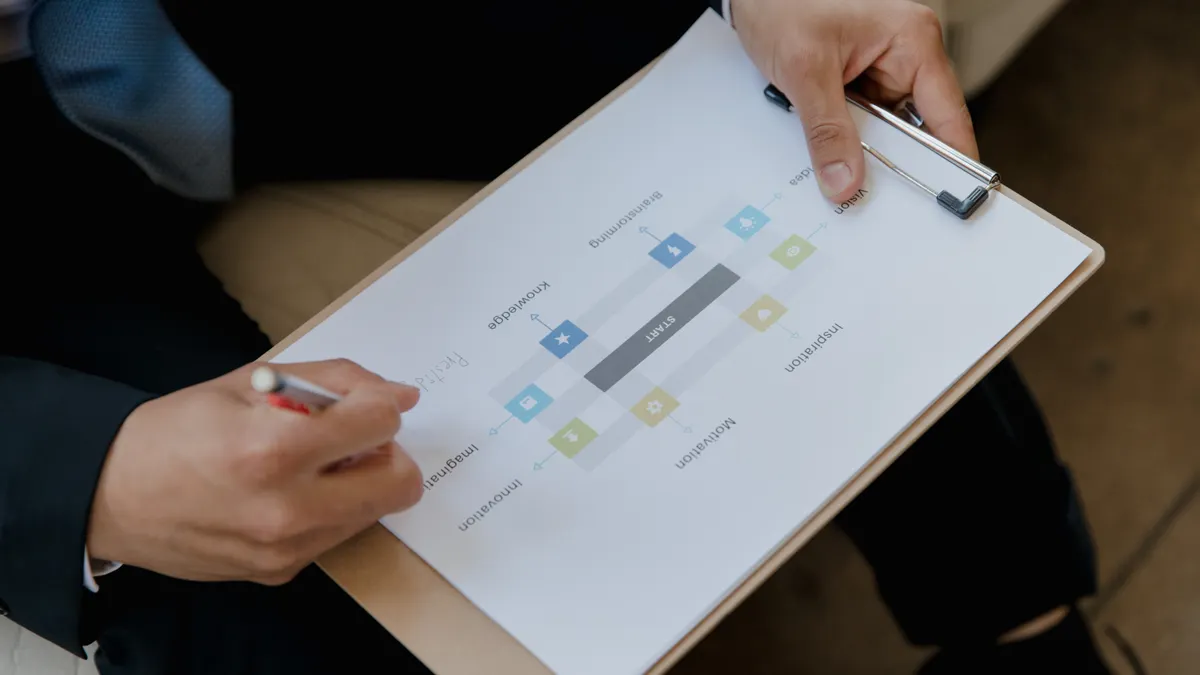
The workflow should change with the kind of post you are producing, because not every post has the same job. A “how to” guide, a comparison post, and a thought piece all need different guardrails. If you use the same process for all three, one of them will suffer.
Here is the practical split. For a standard educational guide, I would use AI for research support, outline drafting, and first-pass prose, then have a human tighten examples and sequence. For a comparison post, I would spend more time on criteria before drafting, because the structure depends on what counts as a meaningful difference. For a brand-led opinion post, the workflow should start with the point of view, not the outline. In that case, AI should help turn an argument into readable prose, not invent the argument.
The wrong alternative is a “generate first, edit later” assembly line. It looks efficient until the editor has to undo the logic of the post. Another weak alternative is over-engineering the workflow for every post. If you force a 12-step approval chain on a short explainer, the process costs more than the content.
This table shows the cleanest fit:
| Situation | Best Path | Why Other Options Fail |
|---|---|---|
| Educational post with straightforward subject matter | AI-assisted outline and drafting, human edit for clarity | Fully manual writing wastes time on repeatable sections |
| Comparison or alternatives post | Human-led criteria first, then AI draft | Drafting before criteria leads to shallow comparisons |
| Opinion or strategy post | Human point of view first, AI for structure and polish | AI cannot reliably invent a distinctive stance |
| Pillar page or evergreen guide | Section-by-section drafting with source checks | One-shot generation usually creates uneven depth |
| Update of an older post | AI identifies gaps, human decides what to keep | Full rewrite can break useful context and internal logic |
If you are in a tight niche, add a source stage before drafting. If you are in a broad topic area, spend more time on differentiation and examples. If your posts are meant to rank, make the outline answer search intent before the first draft is generated. If your posts are meant to convert, make the workflow answer objections before it writes the conclusion.
A real trade-off sits here: the more specialized the workflow, the harder it is to reuse across teams. That is the cost of relevance. A generic workflow scales easily but produces generic work.
Quick check: if you can tell me the post type in one phrase—guide, comparison, opinion, or update—you should be able to name the workflow too.
The 3 Conditions That Change Everything
Three conditions change the workflow enough that generic advice stops helping: source quality, editorial ownership, and publication speed. If those are not set, AI will amplify uncertainty instead of reducing it.
First, source quality. If the topic depends on facts that can be checked against documentation, standards, or vendor docs, gather sources before drafting. For software topics, that might mean product docs, API references, changelogs, or standards from organizations like the W3C or NIST where relevant. If source quality is weak, the workflow should force a “source before prose” rule. That protects against confident nonsense.
Second, editorial ownership. If one person owns the post from brief to publish, the workflow can be simpler. If multiple people touch it, every step needs handoff rules. Who approves the outline? Who checks claims? Who writes the meta title? If those roles are unclear, AI will not fix the confusion. It will just create more of it faster.
Third, publication speed. If the blog is tied to campaign deadlines or product launches, use smaller sections and modular drafting. If there is no rush, slow the process down enough to review examples, links, and internal consistency. A 24-hour turnaround and a 10-day turnaround should not use the same approval path. That is not bureaucracy; it is honest time management.
The practical answer is to match control to consequence. If the content will be updated often, build templates that can be reused. If the content must be exact on day one, build a stronger verification step. If the team is small, the workflow should be short enough to run without coordination overhead. If the team is large, the workflow must be explicit enough that no one assumes another person checked the claims.
I would not use one AI workflow for everything unless the blog itself is low-stakes and fast-moving. That is who the standard advice is not for: legal, medical, finance, security, and any brand whose content gets scrutinized line by line. In those settings, AI is useful, but only inside a process that already knows where the traps are.
Quick check: if any post can create real downside when wrong, your workflow should be built around verification, not generation.
How Do You Keep AI Drafts from Sounding Like Every Other Blog?
You keep AI drafts from sounding generic by making the outline and edit stage do more work than the prompt. If the prompt is doing all the thinking, the post will sound like everyone else’s. If the outline is doing the thinking, the result gets more specific.
The fastest fix is to give the model constraints that force choices. Tell it the audience, the angle, the post type, what not to cover, and the level of detail. “Write about AI blogging workflow design” is too loose. “Write a 2,000-word guide for solo SaaS marketers explaining when to use AI for outlining, drafting, or QA, and when not to” is much harder for the model to flatten.
Then add an editorial style rule set. I would include rules like: no filler intros, one idea per paragraph, concrete verbs, no vague claims, and at least one trade-off per section. That does not guarantee a good draft, but it gives the editor something to enforce. Without these guardrails, the draft tends to drift toward predictable phrasing and unsupported generalities.
Use examples that are specific to the reader’s world. A workflow for a law firm blog should sound different from a workflow for a DTC ecommerce blog or a B2B SaaS site. The model should know which ecosystem it is writing for. If it does not, it will default to safe language that says little.
There is also a structural trick that helps: draft in blocks, not all at once. Generate the intro separately, then each H2 section, then the conclusion or FAQ. That makes it easier to stop weak sections from contaminating the whole post. It also makes revision less painful, because you can replace one block instead of surgically rewriting the entire post.
- Write a one-sentence premise that names the reader and the decision they need to make.
- List 3 things the post must explain and 3 things it must not waste time on.
- Ask for the outline first, and reject any outline that is too broad or repetitive.
- Generate one section at a time, with a clear word target for each section.
- Rewrite the opening manually so it speaks to the reader’s real problem immediately.
- Run a “generic language” pass and cut phrases that could fit any topic.
A trade-off worth stating plainly: tighter constraints can make the draft less creative. That is fine for most blog content. Clarity beats novelty when the reader came for an answer. For publishing workflow guidance, consult a qualified editor if the content could affect trust or compliance.
Quick check: if a reader could swap your post’s topic with another one and the prose would still work, the draft is too generic.
Edge Cases Where the Normal Advice Breaks Down
AI blogging workflow design breaks down when the content has unusual constraints, and those cases need a different path. Here are the ones that matter most.
-
Situation: highly regulated content.
What changes: the cost of a wrong claim is high, and generic drafting is dangerous.
What to do instead: make a human outline from approved sources first, then use AI only for restructuring or simplifying approved text. A 1-pass AI draft is the wrong move here. -
Situation: a blog with many authors and one editor.
What changes: inconsistency becomes the main risk, not speed.
What to do instead: create a shared brief template, a shared heading structure, and a fixed QA checklist. One editor should own final voice decisions, or the brand tone will fragment. -
Situation: product-led content tied to a release date.
What changes: timing matters as much as polish.
What to do instead: draft in modular sections that can be updated independently. Freeze product facts early, then leave examples and intros for late-stage editing if the launch details shift. -
Situation: a site that publishes updates to old posts instead of new ones.
What changes: the job is diagnosis, not creation.
What to do instead: use AI to identify outdated sections, thin passages, and missing questions, then decide manually what to keep. A full rewrite can erase context that still ranks or converts. -
Situation: a brand with a strong voice or opinionated tone.
What changes: plain correctness is not enough.
What to do instead: keep AI away from the core point of view. Use it for cleanup, not for stance. Otherwise the post will sound technically fine and emotionally flat. -
Situation: very small teams with no formal editor.
What changes: workflow overhead can become the bigger problem than writing.
What to do instead: keep the process to brief, draft, verify, publish. Do not add approval layers you cannot staff. A 5-step workflow that actually runs beats a “perfect” 12-step process that nobody follows.
These edge cases are where advice like “just use AI to save time” fails. Time is not the only variable. Confidence, accuracy, and brand fit matter too. If you are in one of these situations, simplify the automation and strengthen the review step.
Quick check: if your posts are regulated, opinionated, team-written, or frequently updated, your workflow needs exceptions, not just automation.
A Practical Workflow I’d Choose for Most Blogs
For most blogs, I would choose a hybrid workflow built around a strict brief, section-by-section drafting, and a human final edit. That is the best balance of speed and control for standard editorial work.
Here is the version I would actually recommend:
- Write the brief in 10 minutes: reader, intent, target action, angle, and source list.
- Build the outline with 5–7 H2s, each tied to one reader decision or question.
- Generate each section separately in ChatGPT, Claude, or Gemini so the model stays focused.
- Check factual claims against source material before editing prose.
- Rewrite the intro and conclusion in your own voice.
- Run a final pass for repetition, weak transitions, and generic phrasing.
- Publish, then note what slowed you down so the next brief is better.
That workflow is not glamorous. It does not promise “fully autonomous content.” That is the point. A post that depends on trust should not hand the whole job to a model and hope for the best.
The main upside is predictability. The main downside is that it asks a human to make decisions at the points where judgment matters. If you want total automation, this is not the right workflow. If you want posts that are faster to produce without sounding like they were assembled from leftovers, it is.
One more thing: do not confuse workflow design with tool collecting. A strong process with two tools beats a weak process with six. The software should follow the editorial logic, not replace it.
Quick check: if your goal is useful, publishable posts rather than maximum automation, this is the workflow I’d start with.
FAQ
What is the best AI tool for blogging workflow design?
There is no single best tool. ChatGPT, Claude, and Gemini can all handle drafting and outlining, while Notion, Google Docs, or Airtable can handle process control. The better question is which tool fits your team size and review style. For tool selection, consult the vendor documentation and your internal process owner.
Should AI write the first draft or the outline?
If the topic is simple, AI can help with both. If the topic matters to trust or rankings, I would use AI for the outline only after the brief is clear, then draft section by section. Outlines are easier to correct than full drafts.
How do I stop AI content from sounding generic?
Use tighter constraints, stronger briefs, and a human rewrite of the opening. Generic content usually comes from vague prompts and weak section planning, not from the model alone.
Do I need a human editor if AI does most of the writing?
Yes, if accuracy, brand voice, or conversion matters. AI can speed up production, but a human still needs to verify claims, sharpen the angle, and decide what belongs in the final post.
How long should an AI blogging workflow take?
A basic workflow can support a usable draft in under 2 hours for a standard post, but the exact time depends on source quality, topic complexity, and review depth. Regulated or highly technical posts will take longer because they should.
Key Takeaways
- The workflow matters more than the prompt.
- Start with a brief that names the reader, the job, and the risk.
- Use AI where the task is repeatable, not where judgment is the point.
- High-risk topics need more verification and less automation.
- Section-by-section drafting usually beats one-shot generation.
- The best process is the one your team can follow every time.
Drafted with AI; not yet reviewed by a person.