
Last updated: October 13, 2026
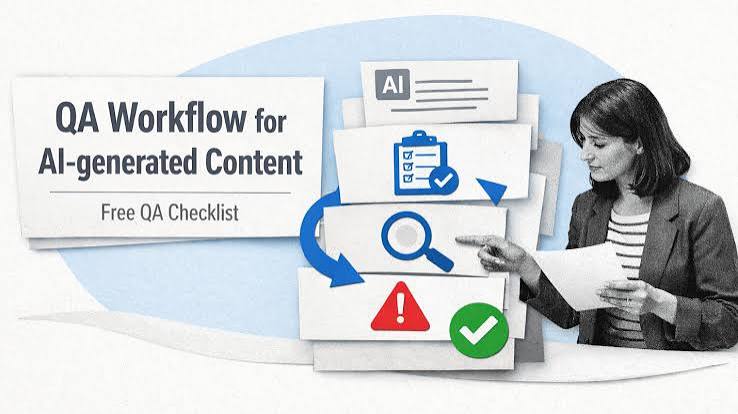
Quick Answer: Use AI for a 10–20 minute QA pass on a draft that is mostly complete, then have a human verify any factual, medical, legal, or financial risk before publishing. That is the safest way to use AI for blog QA before publishing.
Key Takeaways
- AI should be a fast first-pass editor, not the final publisher.
- The most reliable tool is the one that follows your checklist consistently.
- Focus QA on intent gaps, missing evidence, weak openings, sequencing, and factual risk.
- The QA process should change for factual, opinion-led, and search-led posts.
I’d use AI for five jobs here: spotting missing claims, checking structure, finding unclear passages, flagging tone problems, and comparing the draft against a checklist. Not for the last call. That final step still belongs to a person who knows the topic, the audience, and the risks.
What AI should do in blog QA, and what it should not do
AI should behave like a quick first-pass editor, not a publisher with the keys. When a draft already has a subject-matter expert and a clean outline, AI is handy for catching the stuff that slips past the third read: duplicated ideas, missing transitions, weak headings, unsupported claims, and sections that drift away from the search intent. But if the draft is thin, inaccurate, or built on guesses, AI won’t save it; it usually just makes the prose smoother while the errors stay put.
Best use case? A draft that is mostly done and needs a hard QA pass before it goes live. Worst use case? Asking AI to “make this ready” when the post still lacks facts, examples, or a point of view. That’s how people publish polished nonsense.
Here is the practical split I would use:
| Situation | Best Path | Why Other Options Fail |
|---|---|---|
| Draft is complete but messy | Use AI for QA, then human approval | A human-only pass is slower and misses repetitive flaws |
| Draft has factual claims in a technical niche | Use AI to flag claims, then verify every source manually | AI can summarize confidently without checking reality |
| Draft is short and underdeveloped | Rewrite the structure first, then run QA | QA cannot invent missing substance |
| Draft is already edited by a pro | Use AI for a final consistency scan | A second human edit often just repeats the first |
If you want a concrete benchmark, think 10–20 minutes of AI time per post, not an all-day rewrite. For a 1,500-word post, the goal is to catch the obvious failures before the CMS publish button gets hit. Quick check: a solid-but-imperfect post benefits from AI QA; a fundamentally weak one needs writing first. Otherwise you’re polishing a broken chair.
Which AI tool is best for blog QA before publishing?
The best tool is the one that follows a checklist reliably, not the one with the flashiest interface. For general QA, ChatGPT, Claude, and Gemini are the obvious starting points because they can inspect structure, tone, clarity, and checklist compliance in one place. Grammarly, Hemingway Editor, and ProWritingAid still earn their keep for writing-specific support since they catch surface issues that large language models sometimes miss.
If I had to choose by job, I would split the tools like this:
- ChatGPT or Claude for editorial QA: structure, logic, repeated ideas, missing subheads, weak transitions.
- Grammarly for grammar, punctuation, and tone consistency.
- Hemingway Editor for sentence-level readability and overcomplicated prose.
- ProWritingAid for deeper style patterns and repetition.
- Perplexity or a search engine for verification, not rewriting, when a post cites dates, standards, or named products. For source checking, use an authoritative page such as Google Search Central or the original vendor documentation. See Google Search Central’s guidance on helpful, reliable content and primary-source verification: https://developers.google.com/search/docs/fundamentals/creating-helpful-content
The trade-off is plain. General-purpose AI can see the shape of a post, but it is not a citation engine you should trust blindly. Grammar tools are good at surface polish, but they do not tell you whether a paragraph is logically weak. Use only one tool, and something slips through.
A good QA workflow usually means two passes. First, use a large model to review the whole post against your editorial brief. Second, use a dedicated writing tool to catch mechanical errors. For publication-grade precision, finish with a human source check for any line that contains a number, a standard, a named method, or a product claim. Quick check: use a large model for structure, a writing tool for mechanics, and manual verification for truth. That split keeps the wheels from coming off. For related workflow guidance, see the guides on content editing workflow, SEO content brief templates, and how to fact-check blog content.
How do I build an AI QA checklist for blog posts?
Build it around the things that actually break blog posts: intent mismatch, missing proof, weak openings, unclear sequencing, and factual risk. Start with a generic “proofread this,” and you get generic output. Give AI a checklist that mirrors your publishing standards, and the feedback gets much sharper.
I would use a five-part checklist for most blog posts:
- Search intent — Does the post answer the exact question a searcher likely has?
- Structure — Do the headings move in a sensible order, or do they repeat one another?
- Clarity — Are there sentences that say the same thing twice in different words?
- Evidence — Are there claims that need a source, example, date, standard, or caveat?
- Risk — Could any paragraph be misleading, out of date, or too absolute?
For a 1,200- to 1,800-word post, I would ask AI to mark each section as pass, revise, or remove. That beats vague “feedback” by a mile. You want a verdict on each part.
A simple prompt shape works well:
- “Read this post as an editor.”
- “Check whether it answers the title promise.”
- “Flag unsupported claims, repeated ideas, weak transitions, and sections that add no new value.”
- “Return the findings as a section-by-section QA list.”
- “Do not rewrite yet.”
After that, I would run a second prompt focused on the highest-risk areas only. Example: if a post mentions medical, legal, or financial details, ask AI to identify every sentence that needs human verification. For software topics, ask it to find product names, feature claims, pricing references, integration claims, and benchmarks. Quick check: if your checklist works on any post, it is too broad; it should match the kind of post you publish. For related workflow guidance, see the guides on content editing workflow, SEO content brief templates, and how to fact-check blog content.
The 3 conditions that change everything
The right QA process changes when the post is factual, opinionated, or search-led. Mix those three together, and AI can still help — but the order matters.
First, when the post contains facts that can go stale, QA has to start with source checking. Think prices, model names, standards, release dates, platform policies, and product availability. A post about software QA before publishing often includes claims about tools, features, or workflows that change over time. In that case, I’d ask AI to extract every factual statement into a list, then verify each one against a primary source or the vendor’s own documentation. A polished error is still an error. For timestamps and changing claims, Google Search Central’s guidance is a useful reference point, especially on maintaining helpful and reliable content.
Second, when the post is opinion-led, AI should check consistency, not correctness. A post that says “I prefer shorter blog QA cycles because they reduce publish-day surprises” needs a different review than a post that says “Tool X supports Y integration.” The first is a judgment; the second is a claim. Treat them the same, and the review turns muddy. So it helps to verify any value-laden advice with a qualified human source when the topic carries health, legal, or financial impact.
Third, when the post is search-led, the opening and headings matter more than clever prose. Searchers usually want a direct path: what AI should do, what it should not do, what tool to use, and what pitfalls to avoid. If the headings don’t match that path, AI should flag the mismatch. For SEO, I would also ask it to check whether the title, H2s, and first paragraph all point at the same topic without drifting.
A good rule: the more factual the post, the less you should trust AI to “fix” it on its own. Quick check: if the post can damage trust when it’s wrong, source verification outranks stylistic cleanup. For examples of when source checking matters, see the Google Search Central documentation and the original product pages you cite.
How I would use AI step by step before hitting publish
I would use AI in a five-step workflow: outline check, draft scan, claim extraction, line edit, and final risk review. That order matters because it stops you from polishing a bad structure.
- Paste the title, target reader, and editorial brief. Ask AI whether the draft matches the promised job. For a 1,500-word post, this first pass should focus on scope, not wording.
- Ask for a section-by-section critique. Tell the model to identify sections that repeat earlier points, fail to advance the argument, or do not answer the headline.
- Extract every claim that needs verification. This includes dates, prices, feature support, standards, statistics, product names, and “best” statements. If the post mentions tools or policies, verify them against the vendor page or the original source before publication.
- Run a line-level edit for clarity and tone. Ask for shorter sentences where necessary, but do not accept changes that flatten the voice into generic business copy.
- Do one final risk pass. Ask what a cautious editor would still reject, what still feels too absolute, and what a reader might question after publication.
That workflow helps because each step has a different job. A lot of people ask for a rewrite first. That turns AI into a ghostwriter instead of a QA tool, and the draft gets harder to judge because the original problems disappear under new wording.
For software posts, I would add one more checkpoint: verify any mention of a tool’s pricing, free tier, or integrations directly on the vendor site before you publish. Prices change. Feature access changes. Product names change. A clean sentence can age badly in a week. Quick check: if you can separate “fix the post” from “check the claims,” your QA process is probably workable. For a second source check, use the original vendor documentation or a search engine result that links to it, not a rewritten summary.
What AI gets wrong in blog QA
AI gets tripped up by confidence, repetition, and vague prompts. Ask it to “improve this post,” and it may produce polished text that still misses the real issue. Ask it to “check for errors,” and it may obsess over grammar while ignoring a broken argument. And if the draft already sounds authoritative, the model may stop questioning weak evidence.
The biggest failure is false certainty. A model may say a paragraph is clear when it is actually vague, or claim a source is implied when the post never names one. It may also miss when a heading promises one thing and the body delivers another. That’s why I would never use AI as the last gate on a post with sensitive claims.
Here are the edge cases where normal advice breaks down:
-
Situation: the post is heavily quoted or cites many sources.
What changes: source accuracy becomes the main risk.
What to do instead: have AI list every quote, statistic, and named authority, then verify each item against the original source before editing prose. -
Situation: the post is mostly how-to steps.
What changes: procedural order matters more than style.
What to do instead: ask AI to simulate a confused reader and point out the first step that feels missing, vague, or out of order. -
Situation: the post includes screenshots, tables, or product UI text.
What changes: text QA is not enough.
What to do instead: verify that the screenshot captions, callouts, and table labels still match the current interface. -
Situation: the draft is written for a regulated field.
What changes: the cost of an error rises sharply.
What to do instead: use AI only for red-flagging and readability, then route the post through a qualified human reviewer. -
Situation: the post uses a lot of brand names or tool comparisons.
What changes: factual drift becomes likely.
What to do instead: build a claim list and check each product detail one by one.
A good editor treats AI as a flashlight, not a verdict. Quick check: if a wrong sentence could damage trust or create compliance trouble, AI should assist, not decide, and a qualified professional should review the final call where the topic requires it.
What is the fastest QA workflow for a blog team?
The fastest workflow is a two-pass AI review followed by one human decision, not a dozen scattered edits. If the team publishes often, speed matters, but speed only helps when the same mistakes are caught every time.
I would structure it like this:
- Author runs the first AI QA pass before sending the draft for review.
- Editor runs a second AI pass focused on intent, structure, and claim risk.
- Editor checks the claim list against sources, product pages, or primary references.
- A final human reads only the flagged sections, not the whole post again from scratch.
- The team saves the recurring issues in a checklist so the next draft starts cleaner.
That process works especially well for posts around 1,500 words, where most QA problems are concentrated in the introduction, transitions, and final third. It’s less useful if the draft is a long-report style piece with many cited facts; those need more manual checking. For a team publishing at volume, that balance matters more than a perfect one-size-fits-all workflow.
Here’s the honest trade-off: faster QA usually means narrower AI responsibility. The more the draft depends on changing facts, the less you can automate safely. Quick check: if your team publishes at volume, standardize the checklist; if your team publishes sensitive content, slow down the final approval. For operational consistency, keep one checklist for routine posts and a separate checklist for high-risk topics.
FAQ: using AI for blog QA before publishing
Can AI replace an editor for blog QA?
No. AI can catch many surface and structure problems, but it cannot be the final authority on accuracy, nuance, or editorial judgment.
Should I use AI before or after manual editing?
Use it after the post is mostly complete and before final publication. If the post is still rough, editing should come first.
What is the best prompt for AI blog QA?
Ask it to review the post against your brief, flag unsupported claims, identify repeated points, and mark any section that does not help the reader finish the job.
Can AI check SEO too?
Yes, to a point. It can spot title drift, weak headings, and intent mismatch, but it cannot reliably judge search demand or ranking chances.
What should never be left to AI alone?
Pricing, product availability, legal or medical claims, and any statement that could mislead readers if it is wrong.
Drafted with AI; not yet reviewed by a person.