
Last updated: October 13, 2026
Quick Answer: for How to Route AI Blog Tasks Across a Team Workflow, the safest default is a 5-step handoff: brief, research, draft, edit, publish. High-risk or fact-heavy task? Start with a human. Repetitive and low-risk? Let AI go first.
Key Takeaways
- Routing depends on risk, originality, and how many people must touch the post before it goes live.
- Break the workflow into five owned stages: brief, research, draft, edit, publish.
- For current facts, product details, or legal wording, gather sources before AI writes.
- The usual “AI first” advice fails when a task is sensitive, opinionated, fragmented, or urgent.
Your team can move fast with ChatGPT, Claude, Jasper, or Gemini — but speed is not the real issue. The hard part is deciding which piece of the blog process belongs to whom, and which part belongs to the model, so drafts do not stall, drift off-brand, or turn into five versions of the same post. How to Route AI Blog Tasks Across a Team Workflow is mostly a routing problem. Not a writing one. Get that wrong, and the queue turns to sludge.
What Actually Determines the Right Route for Each Task
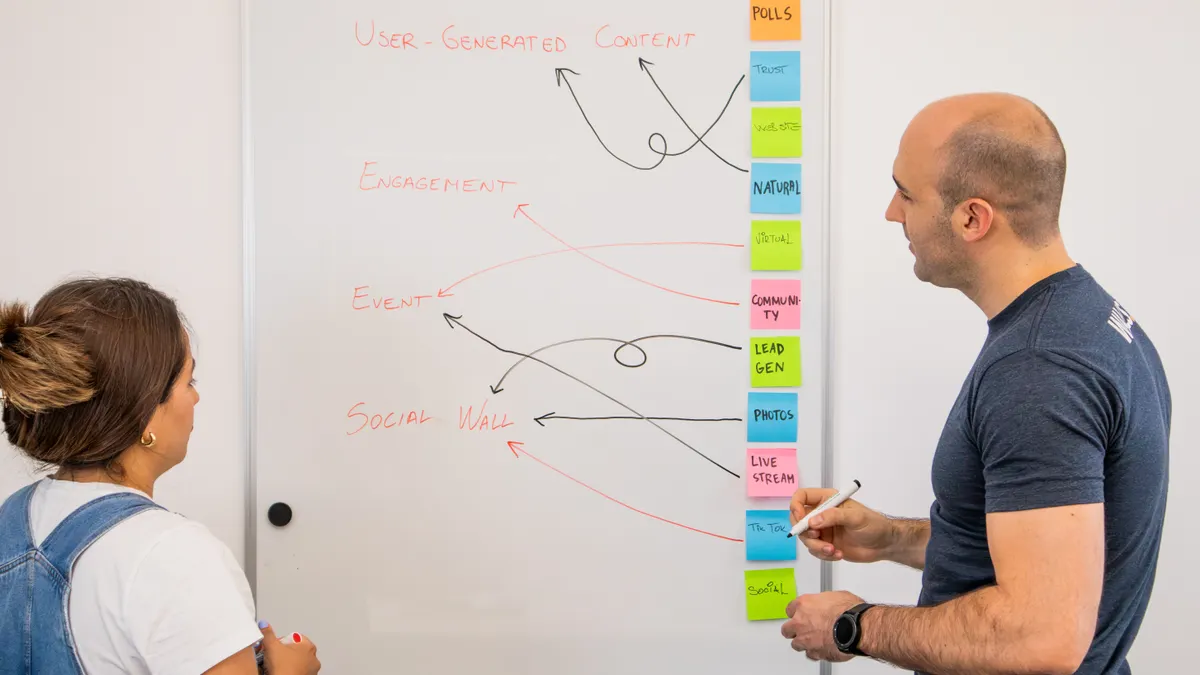
Three things decide the route: risk, originality, and how many hands the post passes through before publication. Raise any one of those, and you need more human checkpoints, not fewer.
A task like “rewrite this intro in a warmer tone” is low risk and low originality. A task like “choose the angle for a post about enterprise migration” is not. That one needs a senior editor or subject expert up front. A task like “turn this approved outline into a 1,200-word draft” sits in the middle and can go to AI once the brief is locked.
The most common mistake is routing by speed alone. Fast is not the same as safe. I’ve seen content ops leads hand every assignment to the nearest writer with a ChatGPT tab open, then wonder why they end up with 12 drafts that sound alike and take twice as long to clean up. The fix is a routing matrix, even if it is basic.
Here is the basic decision rule I would use:
| Situation | Best Path | Why Other Options Fail |
|---|---|---|
| New topic, unclear search intent | Human strategist first, AI second | AI can draft an answer, but it cannot reliably choose the angle |
| Approved outline, standard blog post | AI first draft, human edit | Manual drafting wastes time on repeatable structure |
| Fact-heavy post with product claims | Human draft or human fact-check before AI polish | AI may smooth over gaps instead of flagging them |
| Repurposing a webinar into a blog | AI summary, human angle and quotes | AI is good at compression, weak on editorial judgment |
| Meta title, intro variations, FAQs | AI generation, human selection | Humans should choose, but not write 20 near-duplicates by hand |
Two people? Still works. Ten people? Same logic, only stricter intake and tighter rules so tasks do not ricochet around three times.
Quick check: if the task would still matter after AI wrote it badly, it needs a human first. That rule keeps How to Route AI Blog Tasks Across a Team Workflow tied to risk, not convenience.
How Do You Route AI Blog Tasks Across a Team Workflow?
Break the blog into five stages and give each one a clear owner: brief, research, draft, edit, publish. Blur those gates, and AI makes more work than it saves. A clean flow also makes How to Route AI Blog Tasks Across a Team Workflow much easier to audit later.
A clean workflow usually looks like this:
- Intake: the content lead defines the goal, audience, CTA, and the one question the post must answer.
- Research: a writer or SME collects facts, examples, and source links before AI drafting starts.
- Drafting: AI generates the first pass only after the brief and source notes are complete.
- Editorial review: a human checks accuracy, tone, structure, and anything that sounds generic.
- Final polish and publish: the editor formats headings, links, internal anchors, and meta fields.
The gate matters more than the tool. Let AI in too early, and it fills the gaps with plausible nonsense. Let it in after the draft is already strong, and it behaves like a speed boost instead of a crutch. Big difference.
For small teams, I’d keep one person as the “routing editor.” That person decides whether a task goes to AI first, human first, or human-only. For larger teams, the routing can live in Asana, Trello, Monday.com, ClickUp, or Notion, with labels such as “AI draft,” “human SME,” and “editor final.” One board. One view. Less guessing.
This is where volume trips teams up. If every request lands in the same Slack channel, the loudest person wins and the workflow collapses into interruptions. Route requests through a form that asks for topic, target reader, source material, deadline, and required output length. Even a plain Google Form beats an open-ended message thread.
The trade-off is real: more routing rules means a little more admin. But that overhead is cheaper than fixing a post that went live with weak sourcing or the wrong search intent.
Quick check: if your team argues about “who owns this draft” more than once a week, your routing is too vague. Clarity saves hours in How to Route AI Blog Tasks Across a Team Workflow.
If the task is research-heavy, start with a human, not the model
When a post depends on current facts, product details, legal wording, or niche expertise, a human should gather the source material before AI writes anything. AI is better at recombining notes than inventing reliable ones. That’s the trap. In practice, How to Route AI Blog Tasks Across a Team Workflow starts with human sourcing when accuracy matters.
I’d use this path for software comparisons, compliance explainers, finance-adjacent content, or anything that mentions pricing, release dates, benchmarks, or policy language. AI can still help, but it should work from notes, not from a blank prompt.
A practical process looks like this:
- Have the subject expert or researcher collect 5 to 10 source points from authoritative material.
- Mark which points are mandatory facts and which are optional color.
- Write a brief that names the angle, audience, and the exact claim the post must support.
- Ask AI for an outline only, not a full draft, if the topic is sensitive or technical.
- Have the writer fill in the sections using the sourced notes.
- Run a human fact check on every figure, product name, and comparison claim before editing for style.
This route works especially well when the team has one strong SME and several generalist writers. It keeps the expert from writing the whole post, which is often the bottleneck, while still protecting accuracy. It also avoids the ugly little trick where AI polishes a shaky note into something confident and wrong.
Not research-heavy? Flip the route. A reusable opinion post, a list of tactics, or a template-based post can go straight to AI after a tight brief. That is where tools like ChatGPT, Claude, or Jasper earn their keep.
A useful rule: if you would hesitate to publish a sentence without checking it, AI should not be the first drafter for that sentence.
Quick check: if the draft needs current facts, exact product names, or compliance-sensitive language, human-first is the safer route. That is the cleanest way to route AI blog tasks across a team workflow.
If the task is high-volume, let AI handle the middle, not the beginning or end
Need 8, 20, or 50 similar posts a month? Then AI should usually handle the middle of the workflow: first draft expansion, section variations, FAQ generation, and compression from notes. It should not own the brief or the final approval.
This setup works well for repeatable content like “how to use X,” “best practices for Y,” or topic clusters built from one pillar page and several support posts. The content lead sets the pattern once, then the team routes many similar tasks through it. For How to Route AI Blog Tasks Across a Team Workflow, repetition is where AI pays off most.
The safest practical version looks like this:
- Build a template brief with fixed fields for audience, search intent, angle, tone, and required source types.
- Create approved outlines for recurring formats such as listicles, comparisons, and tutorials.
- Use AI to draft only the sections that are repetitive or formulaic.
- Have a human editor compare the draft against the outline, not against memory.
- Batch-edit for tone, internal links, and calls to action across 3 to 5 posts at a time.
- Send only the posts that pass a checklist to the final QA step.
The trade-off here is quality drift. The more you batch, the easier it is for every post to start sounding like the same machine wearing different topic names. That gets old fast. I would keep a human editor on the pattern even if AI writes 70% of the text. The editor’s job is to catch the draft that is technically correct but editorially dead. A 2024 Gartner survey found 81% of marketers were already using generative AI, which is exactly why edit control matters.
If you are using a content calendar in Notion or Airtable, add fields for “AI allowed,” “SME required,” “review depth,” and “risk level.” That lets the team sort work by complexity instead of by whatever lands in the inbox first.
This route is not for a brand that depends on sharp editorial voice. If the writing itself is the product, high-volume AI drafting should stay narrow and heavily supervised.
Quick check: if your team’s main problem is repeatable production, not originality, AI belongs in the drafting middle. That is the practical answer to How to Route AI Blog Tasks Across a Team Workflow at scale.
When the standard advice is wrong
The standard advice falls apart when the task is too sensitive, too opinionated, too fragmented, or too last-minute. Then the “AI first, human later” rule can waste time or create risk.
-
Situation: a post contains legal or medical-adjacent claims.
What changes: accuracy matters more than speed.
What to do instead: make the human expert write or approve the core claims before AI touches the prose. If the topic crosses into legal, medical, or financial advice, add a professional review step. -
Situation: the brand voice is the selling point.
What changes: consistency matters more than output volume.
What to do instead: route AI only to outline generation, FAQs, or alternative headlines. Keep the main draft human-written. -
Situation: the team uses freelancers in different time zones.
What changes: handoff quality matters more than real-time speed.
What to do instead: use a rigid brief, a source pack, and a single QA checklist in tools like Google Docs, Notion, or Airtable so no one needs to guess. -
Situation: the topic changes daily, like a software release or market update.
What changes: freshness matters more than polish.
What to do instead: have AI summarize raw notes into a working draft, then have a human update the timestamped facts immediately before publication. -
Situation: the team is small and everyone does everything.
What changes: role purity is less useful than a simple gate.
What to do instead: keep one rule: no post goes forward without one human deciding the angle and one human checking the final version. -
Situation: the draft is a thin update to an existing post.
What changes: rewriting is easier than creation.
What to do instead: route it to AI for section replacement or summary compression, then have an editor make sure the update still fits the older post.
The same pattern sits under all of these: the more a task affects trust, the more human control it needs. Speed helps. Blind speed gets expensive. How to Route AI Blog Tasks Across a Team Workflow depends on that trade-off.
Quick check: if a mistake would hurt credibility more than it would waste time, do not give AI the first or last word.
Which tools fit which part of the workflow?
The best tool depends on the job, and the wrong one usually fails because it is being asked to do everything. Use ChatGPT, Claude, Gemini, Jasper, Notion AI, or a CMS plugin for every step, and the process gets fuzzy fast. That is another reason How to Route AI Blog Tasks Across a Team Workflow needs clear ownership before any tool choice.
For drafting and rewriting, ChatGPT or Claude are strong fits because they can handle structure, variation, and summarization. For project routing, Asana, ClickUp, Trello, Airtable, or Notion are better because they keep the handoff visible. For research capture, Google Docs and a shared folder with source links still beat fancy automation if your team needs accountability.
I would choose the stack by function:
- Intake and routing: Notion, Airtable, Asana, ClickUp
- Draft generation: ChatGPT, Claude, Jasper, Gemini
- Source tracking: Google Docs, shared drive, comment threads with source links
- Publishing QA: CMS checklist, editor review, link checker, style guide
The honest trade-off is that tool sprawl makes teams feel modern while making handoffs worse. One AI tool plus one project tracker is usually enough. Three AI tools and no routing rule is how drafts vanish into a chat history nobody wants to read again.
A simple benchmark helps: if a task moves through more than 4 people or 3 tools before approval, the workflow is probably too noisy. That does not mean it is wrong, only that it needs fewer handoffs and a clearer owner.
For teams that care about governance, I’d also keep an eye on vendor policies and data handling. OpenAI, Anthropic, and Google all publish product and policy pages that change over time, so check the current documentation before routing confidential material through any model. The U.S. Federal Trade Commission also publishes guidance on deceptive claims and AI use, which is worth checking before you publish anything sensitive.
Quick check: if nobody can tell you which tool owns the post at each stage, the stack is the problem.
What a workable team workflow actually looks like
A workable workflow is one where the same task takes the same path 80% of the time, and exceptions are rare enough to notice. If every post is handled differently, the system is not a system.
Here is the version I would choose for most content teams:
- Brief owner: content strategist defines the question, angle, audience, and success criteria.
- Source owner: writer or SME gathers facts and notes from approved sources.
- AI pass: model creates the first draft, headline options, or section variations from the brief and source pack.
- Editor pass: human checks the post for accuracy, voice, and structure before publication.
- Publish owner: SEO or web editor adds links, metadata, and final QA checks.
That structure works because it keeps one person accountable at each stage. It also gives each role a clear stop point, which prevents the “everyone edited it, so nobody owns it” problem. In How to Route AI Blog Tasks Across a Team Workflow, ownership matters as much as the tool.
If you are building this from scratch, start with three rules: no AI before the brief, no publish before human review, and no source-free claims on pages that matter. Those rules are simple enough to follow even on a busy day.
Quick check: if your process cannot be explained in five steps, it is too vague to scale. A five-step route is usually enough for How to Route AI Blog Tasks Across a Team Workflow.
People Also Ask
How many people should touch an AI-assisted post?
Usually 2 to 4 people is enough: strategist, researcher, editor, and publisher.
Should AI write the first draft or the outline?
For low-risk, repeatable posts, AI can write the first draft; for sensitive topics, start with the outline.
What should a human always check before publishing?
Check facts, names, dates, claims, links, and whether the post still matches the intended angle.
Can small teams use the same workflow as large teams?
Yes. The steps stay the same; only the number of handoffs changes.
What is the biggest failure mode in AI blog workflows?
Unclear ownership. If nobody knows who owns the brief or the final review, the post usually slows down or drifts off-brand.
Final rule of thumb
The right route is the one that makes the post easier to trust, easier to edit, and easier to publish on time. AI is strongest when the task is repetitive, bounded, and already sourced. Humans are strongest when the task needs judgment, originality, or accountability. Keep that split clear, and How to Route AI Blog Tasks Across a Team Workflow gets much easier to repeat.
Drafted with AI; not yet reviewed by a person.